Gigglebot Micropython Library
develop

Contents:

  • 1. Getting Started
  • 2. About the Firmware
  • 3. API
  • 4. GiggleBot Tutorial
  • 5. Sensors Tutorial
  • 6. Add-On Sensors Tutorial
Gigglebot Micropython Library
  • Docs »
  • GiggleBot Micropython Library
  • Edit on GitHub

GiggleBot Micropython Library

This library is meant to be used with the Mu editor , a Micro:bit, and GiggleBot.
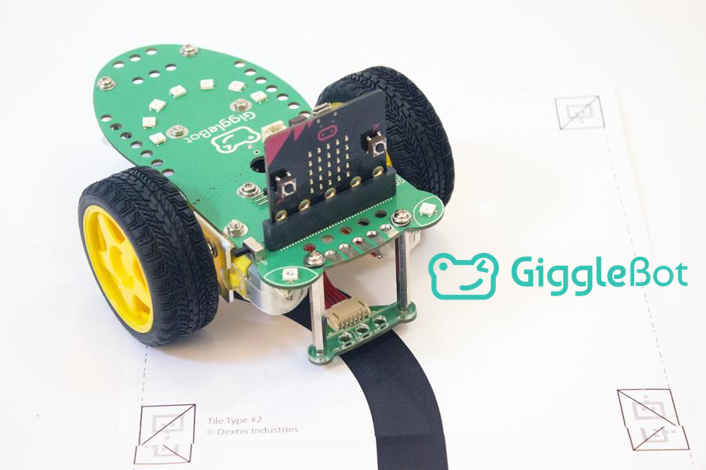
_images/GiggleBot-Line_Follower_900x.png

For step by step installation instructions and how to get started, please see the main GiggleBot website. You can also follow the instructions in this documentation by going over here.

For an introduction to MicroPython on the Micro:Bit, see the official tutorial.

Contents:

  • 1. Getting Started
    • 1.1. Downloading the Firmware
    • 1.2. Downloading the Modules
    • 1.3. Flashing the Firmware
    • 1.4. Custom Firmware in the Mu Editor
    • 1.5. Upgrading DAPLink Firmware
  • 2. About the Firmware
    • 2.1. Modules
    • 2.2. Firmware
    • 2.3. Using It
  • 3. API
    • 3.1. GiggleBot - Regular Module
    • 3.2. Distance Sensor
    • 3.3. Temperature Humidity Pressure Sensor
    • 3.4. Light and Color Sensor
    • 3.5. GiggleBot - Diagnostic Module
  • 4. GiggleBot Tutorial
    • 4.1. Take the GiggleBot on a stroll
    • 4.2. Big Smile
    • 4.3. Rainbow Smile
    • 4.4. Rainbow Cycle
  • 5. Sensors Tutorial
    • 5.1. Light Sensors
    • 5.2. Line Sensors
  • 6. Add-On Sensors Tutorial

Indices and tables

  • Index
  • Search Page
Next

© Copyright 2018, Dexter Industries Revision d663cbc6.

Built with Sphinx using a theme provided by Read the Docs.